Basic Commands:
- Calendar Command
cal year$ cal 20042004 Represents the year name
It gives the following output

- Calendar Month Command
cal month_number year
$ cal 10 200410 Represents the month number i.e., OCTOBER
It gives the following result

- Date Command
$ date
- Who Command
Who Command represents the total users in the System
$ who
- Who Am I Command
$ whoamiDisplays user, group and privileges information for the user who is currently logged on to the local system

- Help Command
Used to display the user manual of any command that we can run on the terminal. It provides a detailed view of the command which includes NAME, SYNOPSIS, DESCRIPTION, OPTIONS, EXIT STATUS, RETURN VALUES, ERRORS, FILES, VERSIONS, EXAMPLES, AUTHORS and SEE ALSO.
man command_name$ man clear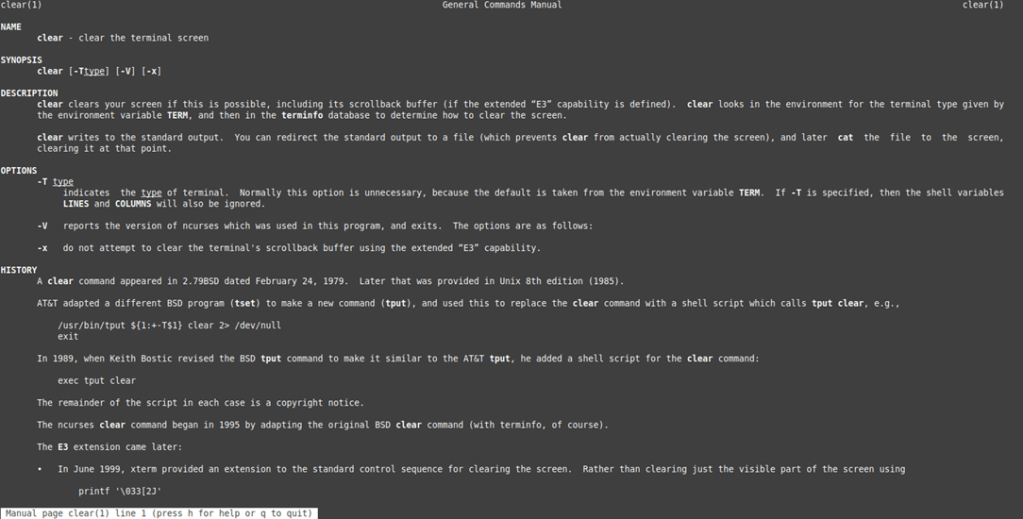
- Clear Command
The clear command is the go-to tool for clearing the terminal screen in Linux
$ clear Umesh Chandra
Leave a comment