
For a long time, if you wanted to generate a PDF in Salesforce, Visualforce was the only option.
Until recently, Salesforce developers used Visualforce to generate PDFs. The common approach was to build a Visualforce page and render it as a PDF. But now with Spring ’26, Salesforce introduced another alternative:
Generate PDFs directly from Apex using Blob.toPdf()
No Visualforce.
No page rendering.
Just HTML → PDF → File.
Let’s walk through how this works and when you should use it.
Why This Matters
Until now, Apex only implementations were not possible. The new Blob.toPdf() method changes that by allowing developers to:
- Generate PDFs programmatically
- Store them as Salesforce Files
- Attach them to records automatically
This fits perfectly into modern Salesforce architectures where logic, automation, and integrations matter more than UI rendering.
The Core Idea
At a high level, the flow looks like this:
- Create HTML content as a string
- Convert HTML to PDF using
Blob.toPdf() - Save the PDF as a File (
ContentVersion) - Publish the file to a Salesforce record (Account, Case, etc.)
That’s it.
Sample Apex Code
Below is a simple example that generates a PDF and attaches it to a record.
public class CreatePDF {
    public static void getPDF() {
        String htmlContent =
            '<html>' +
            '<body>' +
            '<h1>Hello</h1>' +
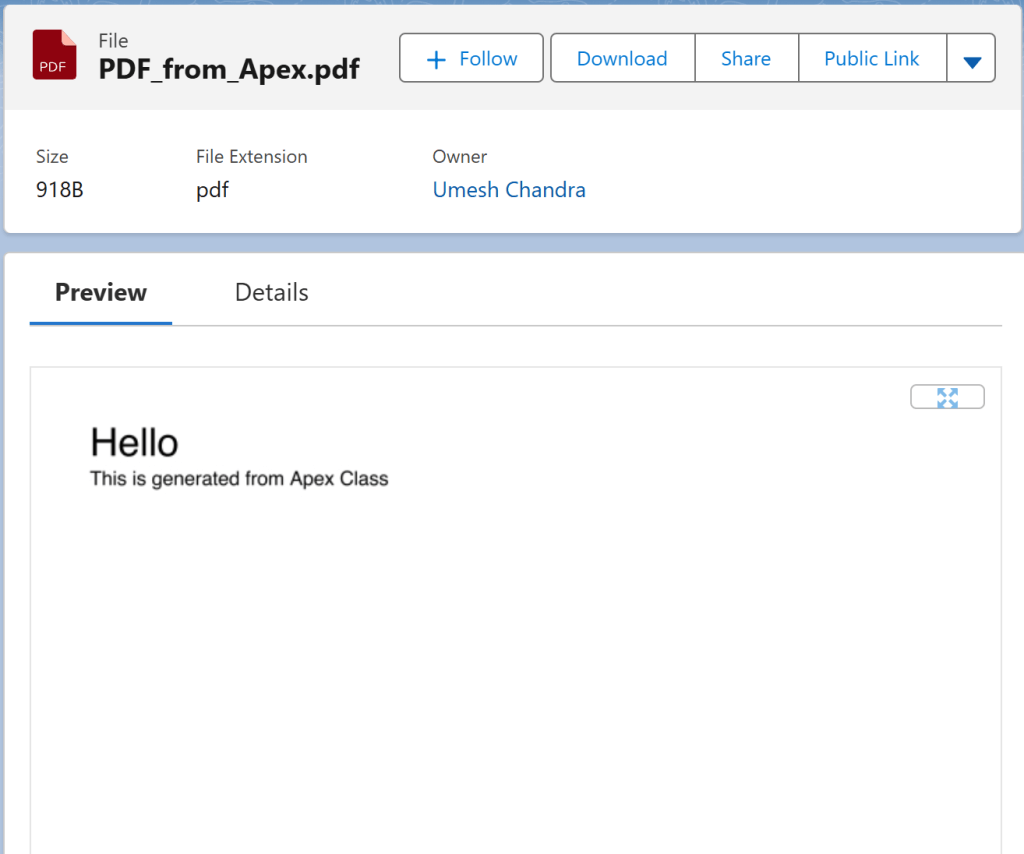
            '<p>This is generated from Apex Class</p>' +
            '</body>' +
            '</html>';

        Blob pdf = Blob.toPdf(htmlContent);
        Account account = [SELECT Id FROM Account LIMIT 1];

        ContentVersion cv = new ContentVersion();
        cv.Title = 'PDF_From_Apex.pdf';
        cv.PathOnClient = 'PDF_From_Apex.pdf';
        cv.VersionData = pdf;
        cv.IsMajorVersion = true;
        cv.FirstPublishLocationId = account.Id;
        insert cv;
    }
}
Executing the Code
- Go to Developer Console
- Click Debug – Open Execute Anonymous Window
- Execute:
CreatePDF.getPDF();Once executed:
- A PDF file is created
- It appears under Files
- It is automatically linked to the Account record
Understanding FirstPublishLocationId
This field controls where the file is published.
- If you pass an Account Id – File appears on the Account
- If you pass a Case Id – File appears on the Case
- If you pass a User Id – File appears in that user’s Files
Example:
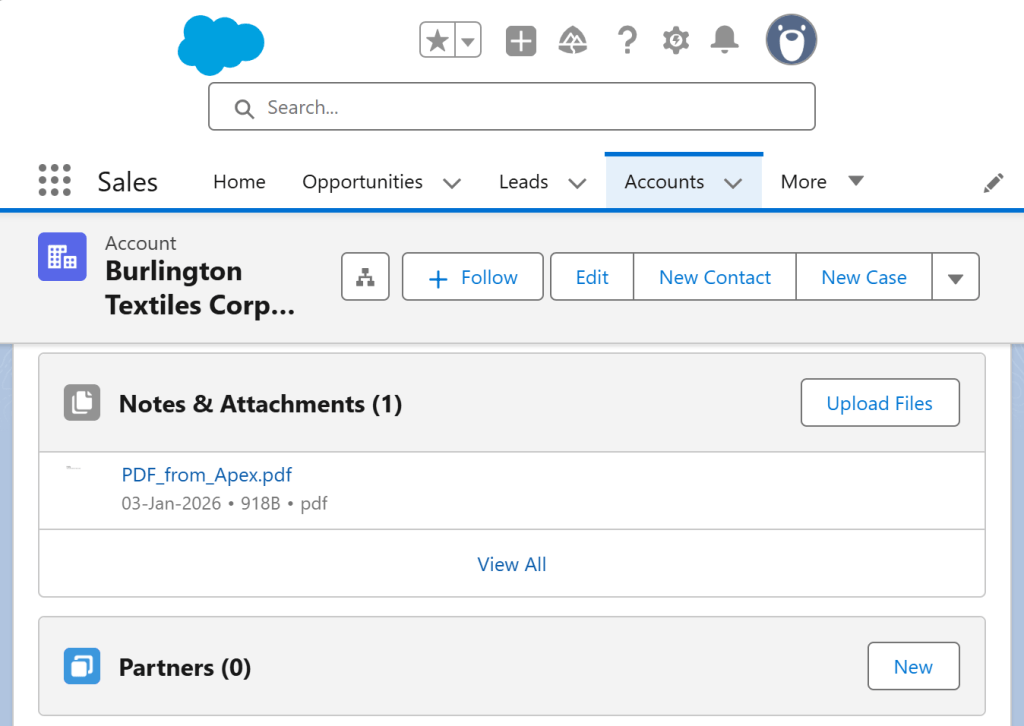
Preview:
⚠️ Avoid hardcoding record IDs. Always fetch them dynamically.
Important Limitations
There are a few rules you must remember:
Blob.toPdf()works only in synchronous Apex- ❌ Not supported in:
- Batch Apex
- Queueable Apex
- @future methods
- Scheduled Apex
This means:
- Trigger → Controller → Execute Anonymous → Flow-invoked Apex: ✅Allowed
- Background jobs: ❌ Not allowed
Styling the PDF
The input is plain HTML, so you can:
- Use inline CSS
- Control fonts, spacing, tables
- Build professional-looking invoices and reports
When Should You Use This Approach?
Use Blob.toPdf() when:
- You don’t need UI rendering
- You want Apex-driven document generation – generate PDFs directly from Apex
- You want to Automatically create and attach PDFs to records based on business logic.
- You’re building automation-heavy or integration-driven solutions
- You want to move away from Visualforce dependency
This Eliminates the need to make HTTP requests, reducing latency and governor limit consumption.
Stick to Visualforce only when:
- You need complex layouts tied to UI logic
Final Thoughts
Blob.toPdf() is a small addition with huge architectural impact.
It simplifies PDF generation, reduces dependencies, and aligns well with modern Salesforce development patterns. If you’ve ever felt that Visualforce was “too much” just to generate a PDF – this feature is for you.
 Umesh Chandra
Leave a comment